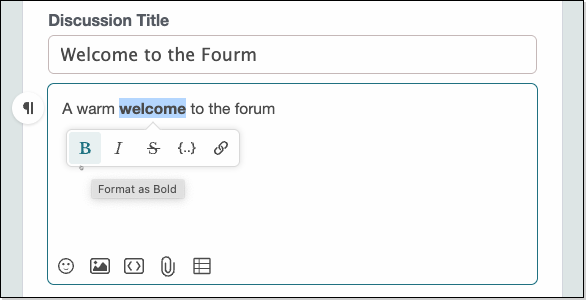
Rich Editor is the editor you’ll use to write and format text when creating forum posts.
It’s designed to be intuitive, so you can usually work out how to use its features quickly, but in his thread we'll highlight some of those features and offers guidance to help you make the most of them.
(Toggle Blocks)
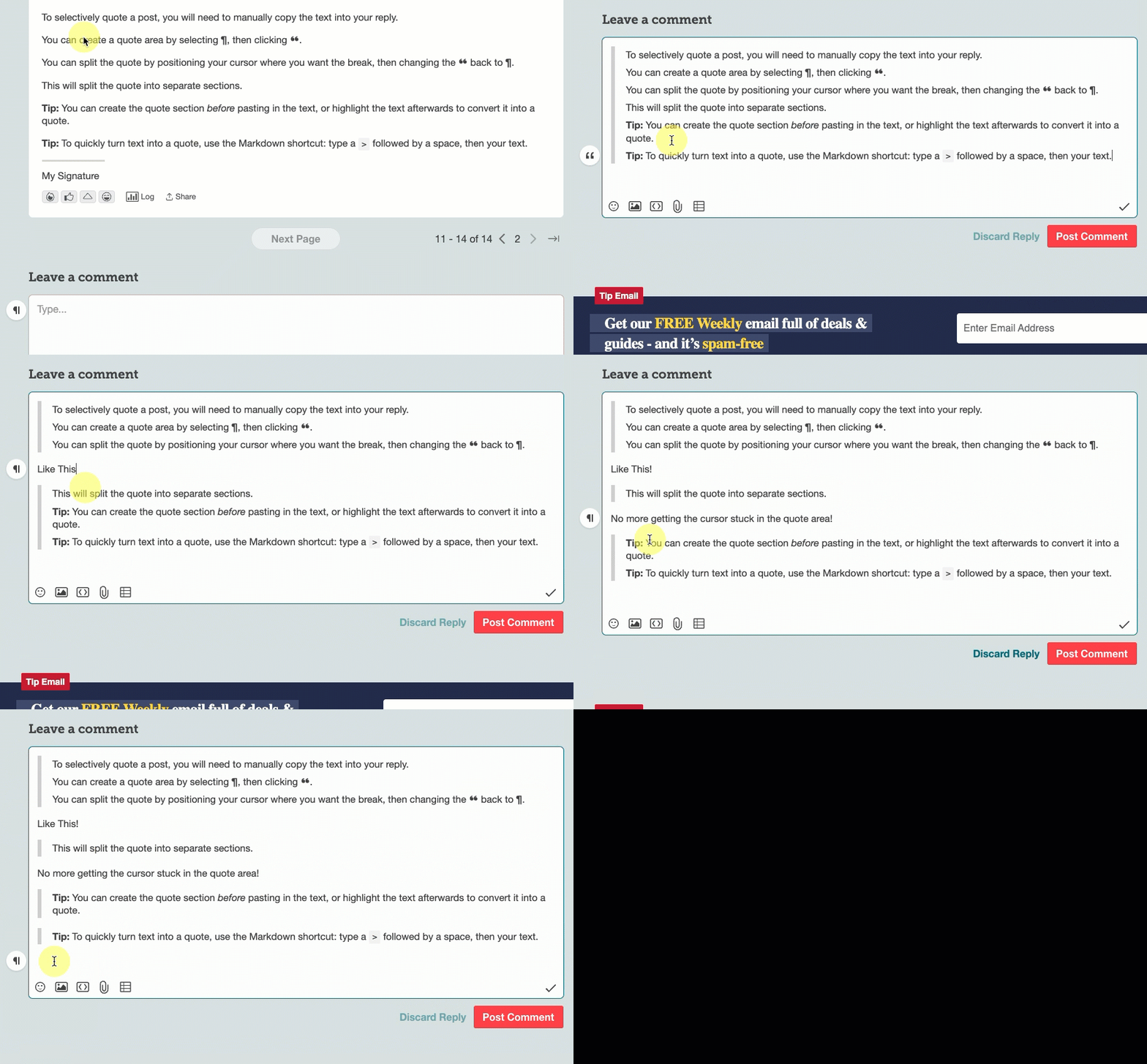
When you Quote with the new Editor, the quote is made into a block you can't edit. Like this one:
To selectively quote a post, you will need to manually copy the text into your reply.
Tip: You can create the quote section before pasting in the text, or highlight the text afterwards to convert it into a quote.
Tip: To quickly turn text into a quote, use the Markdown shortcut: type a > followed by a space, then your text.
>
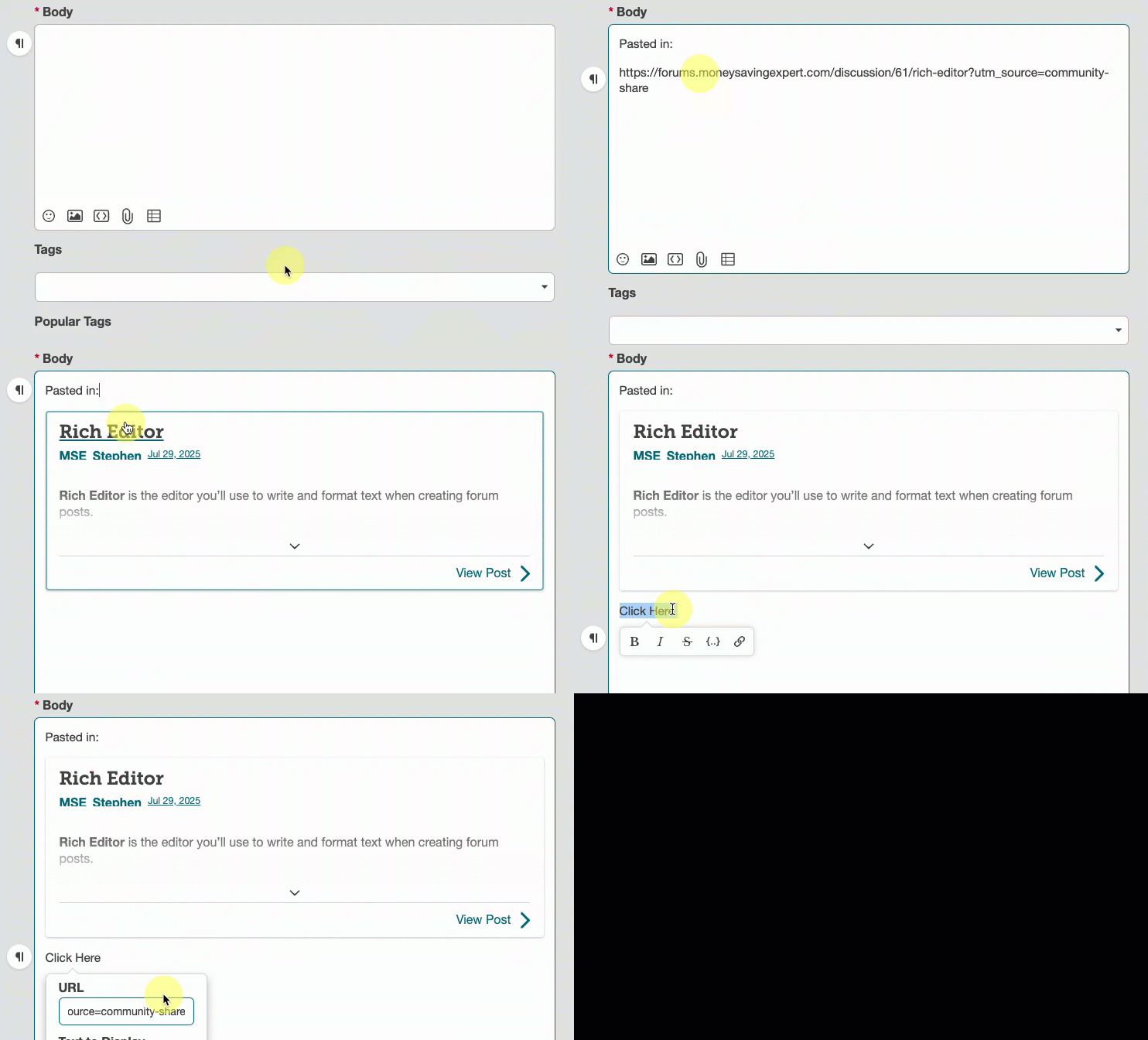
If you paste a link to a post into the editor, it will automatically be turned into a quote.
If you prefer the link to remain a link, simply write some text first and then use the option to turn it into a link:
Tip Email